mamashfor Windows · Beta

Dedicate a day of Mamash L'iluy nishmas, for a simcha, or for a refuah shleimah. Shown at the top of Mamash for every teacher. From $36.

Supported by donationsProcessed on your deviceMac · PC · ChromebookInstalled on this computerWorks with no internet
On a phone you can open, read, convert and save. For full editing, use a computer or an iPad.

Open, edit and save your DavkaWriter files.

Type Hebrew with nekudos, switch to English with one key, and save as Word or PDF. Got a PDF? Combine it, reorder its pages or keep only the ones you need. All right in your browser.All on your computer, with or without the internet.

Drop a DavkaWriter file or a PDF here
Opens .dwd files, Word files saved from Mamash, and PDFs

No file handy? (Parshas Shelach Perek 13)

Processed on your device. Uploaded to Google Drive only when you choose Save to Drive.
Three jobs, one tool

Open DavkaWriter files

See .dwd files on any computer, with nekudos, trop and layout as DavkaWriter made them. Edit the Hebrew and English and keep going.

Save as Word or PDF

A Word file opens in Word, Pages or Google Docs. A PDF prints exactly like your page, with all pages or only the ones you choose.

Word (.docx)PDFAnswer keys for worksheets
NEW

Drop in several PDFs to join them. Drag pages into order, turn or delete them, or keep only pages 1, 6–8. Press Space for a big look.

For mechanchim and rabbanim who write

The Sefer Maker עריכת ספר

Mamash makes it a sefer.

Write your chiddushim, your shiurim or a kuntres, and Mamash sets them like a printed sefer: each part on its own page in the order seforim have them, a header with the perek, page numbers in Hebrew letters, a table of contents and indexes that keep themselves right, and a PDF ready for the printer.

  1. Sefer › New sefer… Choose the name, the page size and the header.
  2. Write the title page, the hakdama and the perakim.
  3. Add haskamos, footnotes, the table of contents and indexes.
  4. Print a PDF for the printer, or a booklet.
  • שער

    Title page

    The name, the author, the place and the year, laid out as a sefer’s title page. Behind it, the rights, where to get it and the printer.

  • הקדשה · הסכמות

    Dedication and haskamos

    Le’iluy nishmas or l’zchus. Paste each haskama: it gets its own page, in its place.

  • הקדמה

    Hakdama

    The author’s introduction, on its own page after the haskamos.

  • פרקים · סימנים

    Perakim and simanim

    Each starts a new page, numbered on its own. Drag one to move it. Bring in DavkaWriter files you typed before, each as a perek.

  • הערות

    Footnotes

    Notes at the foot of the page, א ב ג or 1 2 3, and a second series under them, as the Shaar HaTziyun.

  • תוכן העניינים

    Table of contents

    Made for you: every perek with its page and a dotted line. It stays right as you write.

  • מפתחות

    Indexes

    Topics, meforshim, sources or names, each with every page it is on. Mamash finds them, or you mark the places.

  • כותרות · עמודים

    Headers and page numbers

    The perek of each page at its top, page numbers in Hebrew letters, book margins, one or two columns.

  • הדפסה

    Print

    A PDF for the print shop, or a booklet to print at home, fold in the middle and staple.

Get started in three steps

Pick your computer.

  1. Drop in your fileDrag a .dwd file or a PDF from Finder onto this page, or click Choose file above.
  2. Make your changesType Hebrew with nekudos, switch to English with one key, and add pictures, tables or answer lines.
  3. SaveClick Save for a Word file that opens in Pages, Word or Google Docs. Or download a PDF.

Share Mamash with your staff room

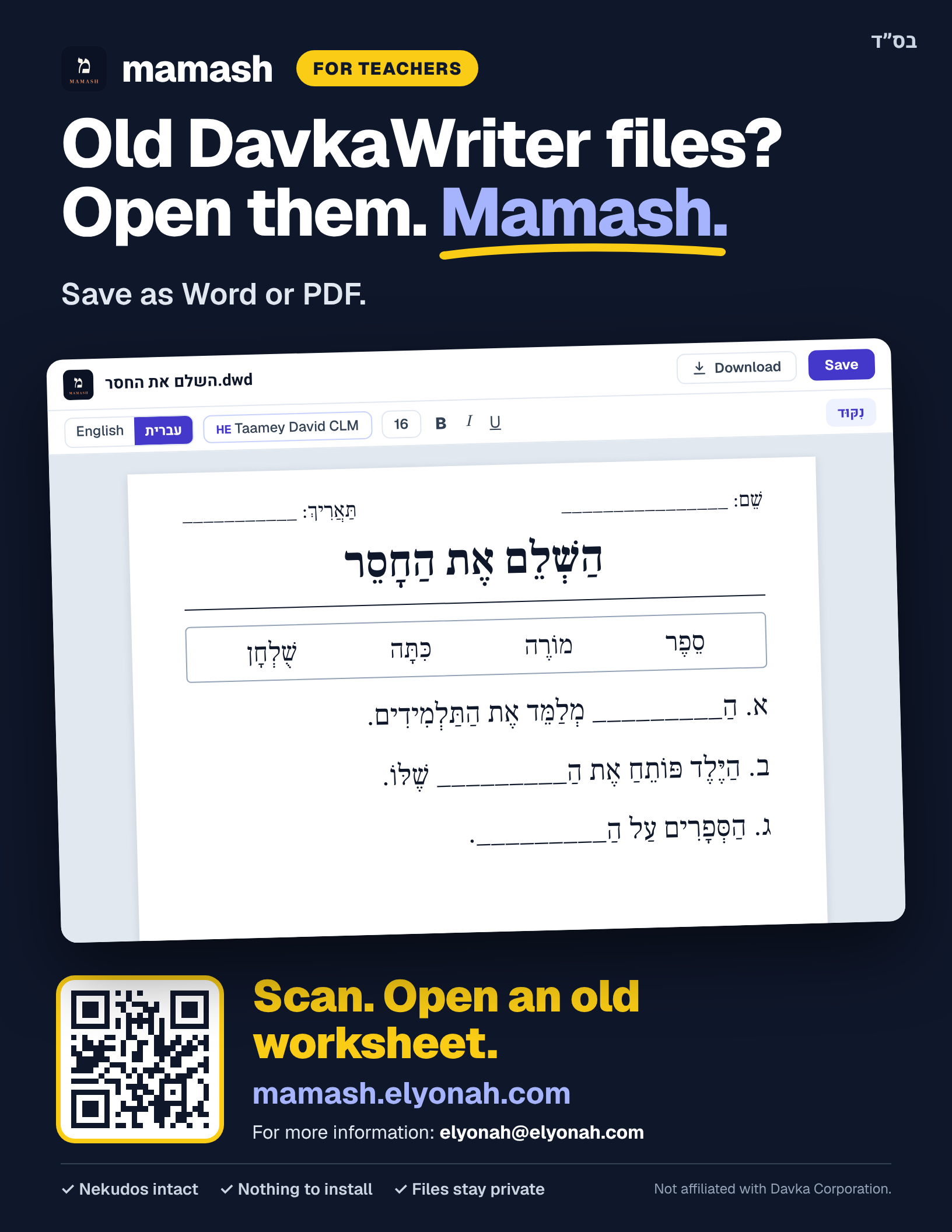
A one-page flyer with a QR code that opens Mamash. Print it for the staff room, or send it to your teacher group.

Download the flyer (PDF)

US Letter, one page. Looks best printed in color.
Short link to the PDF: mamash.elyonah.com/flyer

Questions

Short answers to what teachers ask most.

Still stuck?Tell us what happened and we’ll fix it.

Getting started

Does Mamash cost anything?

Mamash on the website has no charge, no account to make and no ads. It is supported by donations, and every donation helps mechanchim learn Torah at the Chayei Olam kollel. Mamash for Windows, the program you install, is $36 a year for up to 2 computers, after a 14-day trial. That payment goes directly to Valley Village Community Kollel, for its Chayei Olam Night Seder, where mechanchim learn Torah at night, and Mamash’s costs.

Which computers does it work on?

Safari, Chrome and Edge on a Mac, Chrome and Edge on Windows, and Chrome on a Chromebook. The website needs nothing installed, and you can add it as an app if you like. On Windows there is also Mamash for Windows, a program you install.

Can I edit and save back?

You can edit the text, nekudos, pictures, shapes and tables, and save as a Word file or a PDF. Mamash never changes your .dwd file, and a Word file saved from Mamash opens in Mamash again so you can keep editing.

Is there a flyer I can give other teachers?

Yes. A one-page flyer (US Letter) with a QR code that opens Mamash. Print it for the staff room, or send it to your teacher group. The short link mamash.elyonah.com/flyer opens it too. Download the flyer (PDF).

Seforim

Can Mamash lay out a sefer?

Yes. Sefer › New sefer… starts one with a title page, a hakdama and the first perek, each on its own page, at a book page size with book margins. Add a dedication, haskamos, perakim and simanim, footnotes, a table of contents and indexes from the Sefer menu, and print it as a PDF for the printer or as a booklet. Sefer › How to make a sefer… explains every part.

Can a sefer have an index of meforshim or topics?

Yes, as many indexes as you want. For meforshim, list them (one click adds the usual ones, with their short spellings) and Mamash finds every page each is quoted on. For topics, select the places in the text and mark them for a topic. The pages stay right as the sefer grows.

PDFs

How do I combine PDFs?

Drop several PDFs onto Mamash at once and they join in that order. Drop another PDF between two pages to put it right there. Then click Save PDF.

How do I keep only some pages?

Click pages to select them, or type them, like 1, 6-8. Then click Save these pages, or drag them out onto your desktop in Chrome or Edge.

Can I change the words in a PDF?

Yes. Edit the text turns the PDF into a document you can change. Back to the PDF pages takes you back any time.

Privacy

Do my files get uploaded?

Only when you choose. Mamash opens and converts your files inside your browser: they are processed on your device. They go to Google Drive only when you choose Open from Google Drive or Save to Google Drive, and then straight between your browser and your own Drive, never to Mamash. Only the optional text library also goes online, to look up texts on Sefaria.

Can I open files from Google Drive?

Yes. Open from Google Drive opens a DavkaWriter, Word or PDF file from your Drive, and Save to Google Drive puts a Word or PDF copy back in your Drive. After you sign in once, you can also right-click a .dwd file in Google Drive and choose Open with › Mamash. Mamash can see only the files you pick or save with it, never the rest of your Drive. Your file goes straight between your browser and Google: nothing is stored on our servers, and your original file is never changed. Read the privacy policy.

Fonts and Davka

What about fonts?

Mamash shows each DavkaWriter font in an open-source Hebrew font that takes the same room on the page. If you own DavkaWriter, Mamash can use your own installed DavkaWriter fonts on your computer.

Is Mamash part of Davka?

No. Mamash is an independent tool, not affiliated with or endorsed by Davka Corporation.

Maaser for mechanchim

Supported by donations. Every donation helps mechanchim.

Mamash is kept going by teachers who give back. If it saves you time, give from your maaser: every donation goes to the Chayei Olam Mechanchim Night Seder at VVCK, where rebbeim spend their nights learning Torah.

DonateYou choose the amount
Secure checkout by StripeCard, Apple Pay or Google PayReceipt by email
Where your maaser goes
Torah learning for mechanchimThe Chayei Olam Mechanchim Night Seder at VVCK, where rebbeim spend their nights learning Torah.
Keeps Mamash goingBuilt by a teacher, for teachers.